Ironlytics help
Ironlytics User Guide
A practical guide to the main Ironlytics features, including the hidden gestures and shortcuts that are easy to miss.
What you'll find here
Use this guide to understand the main areas of the app, discover quick tips, and learn where to find less obvious features.
The screenshots below use the latest red-accent theme and show real app flows from the current build.
Getting started
Ironlytics is a local-first workout and nutrition tracker. No account is required for core use. Your main logs, foods, recipes, templates, settings, and progress data are stored on your device.
- Use the bottom tabs to switch between Dashboard, Workouts, Nutrition, and Settings.
- Use Settings to adjust units, dashboard layout, nutrition targets, theme, backups, and support links.
- Use backups before changing phone, testing imports, or making large data changes.
Health integrations
Android: Health Connect
In Settings, use the Health Connect area to grant access and sync supported steps, workout sessions, bodyweight and calorie data. If data is missing, review Ironlytics permissions in Android or Health Connect settings and confirm the source data exists there. You can revoke access through the same platform settings.
iPhone: Apple Health
In Settings, use the Apple Health area to request access. Ironlytics can read authorised workouts, steps, body weight and active energy; workout records can also include distance. Ironlytics currently requests read access only and does not request permission to write data to Apple Health. Change or revoke access in iOS or the Health app settings. Apple Health does not tell apps which individual read permissions were denied, so only available data will appear after syncing.
Dashboard
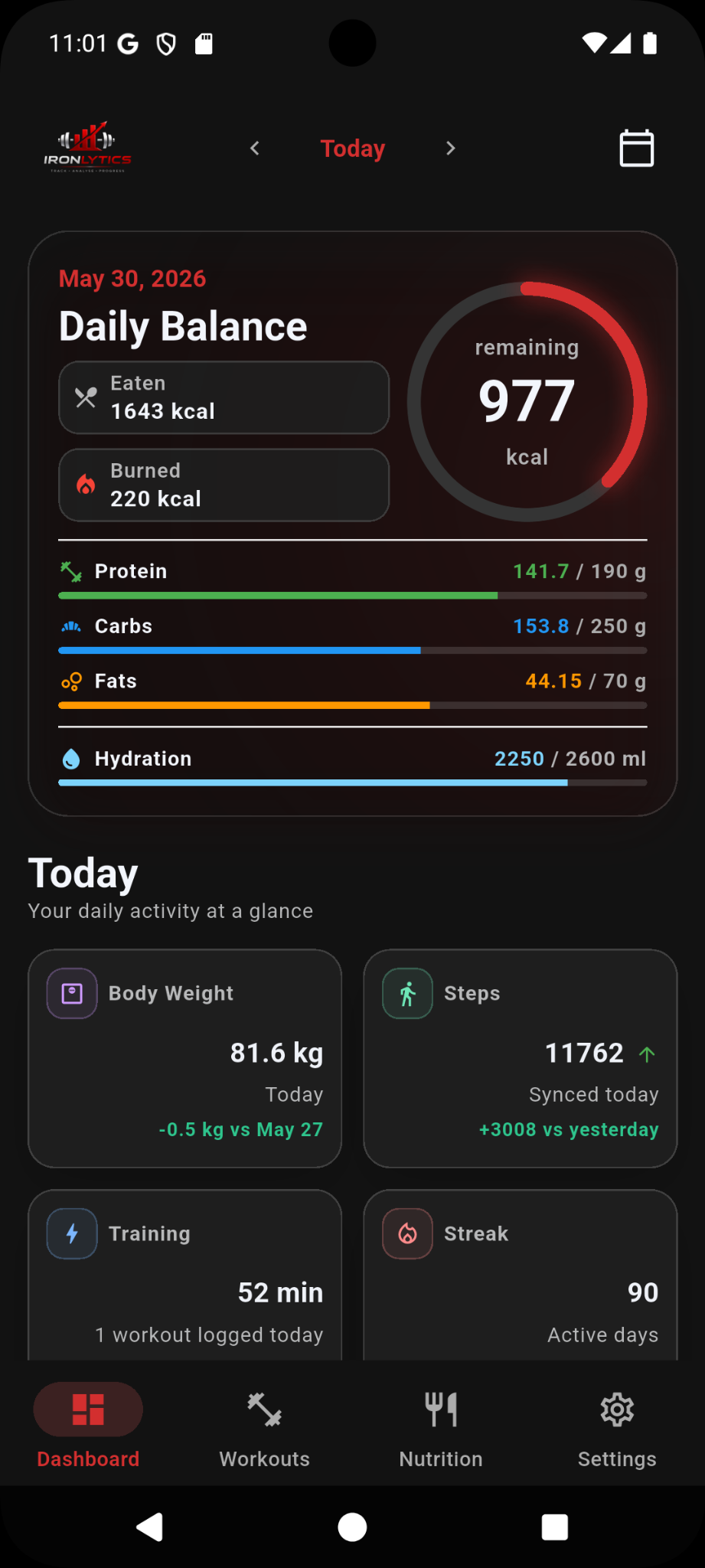
The Dashboard gives you a quick view of your daily balance, activity, weekly progress, strength snapshot, and latest log.
- Tap Body Weight or Steps tiles to view their history.
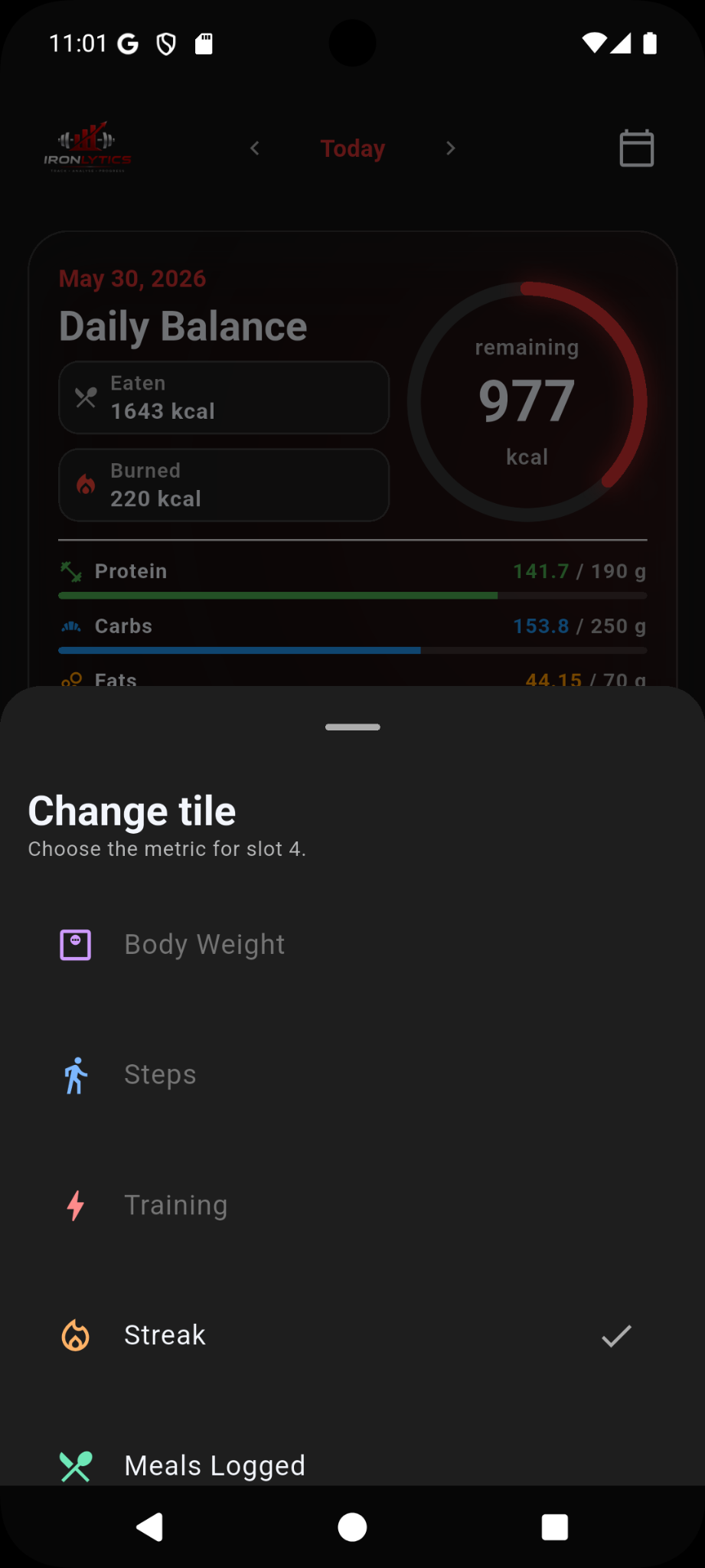
- Press and hold dashboard tiles to change what they show.
- Use the calendar and date controls to review previous days.
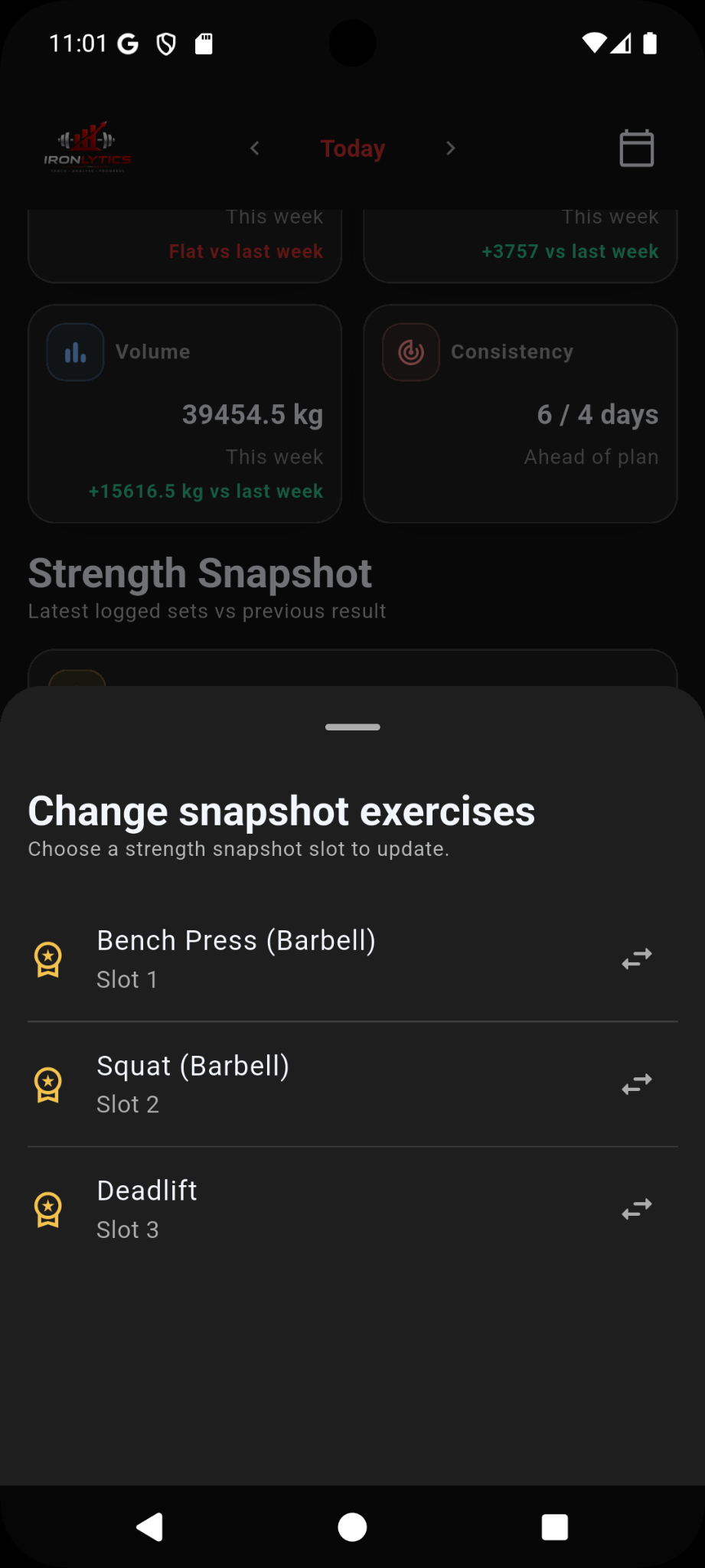
- The Strength Snapshot shows selected lifts and their latest logged performance compared with previous results.
Workout logging
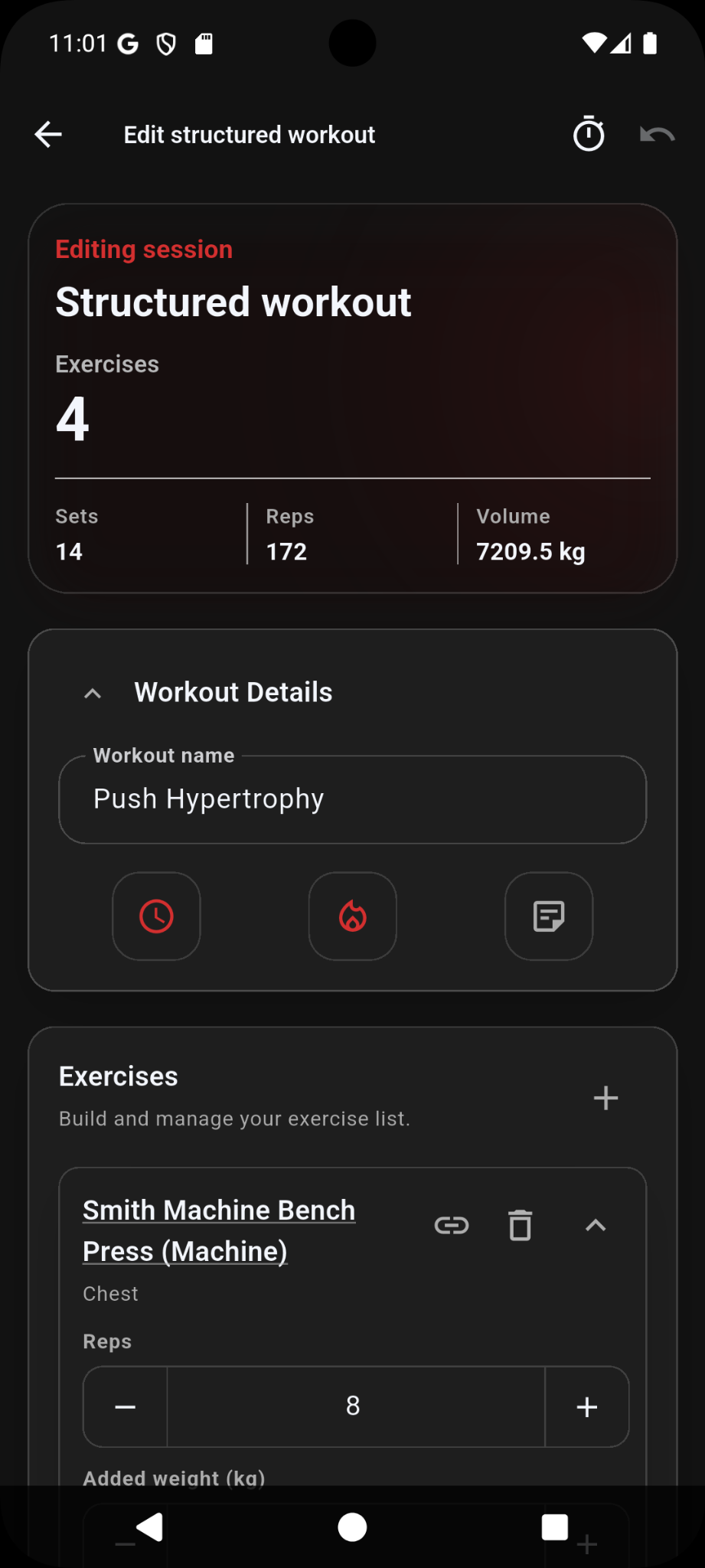
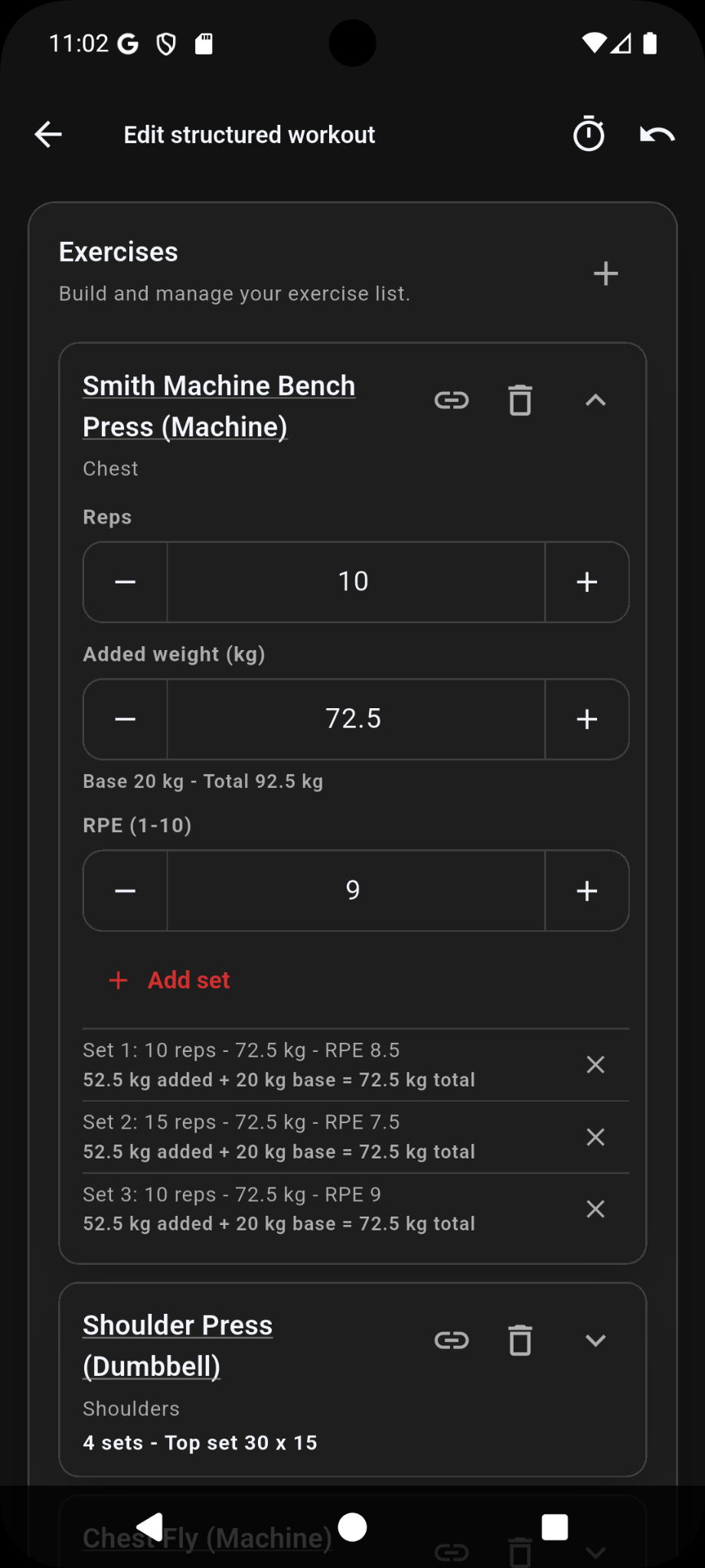
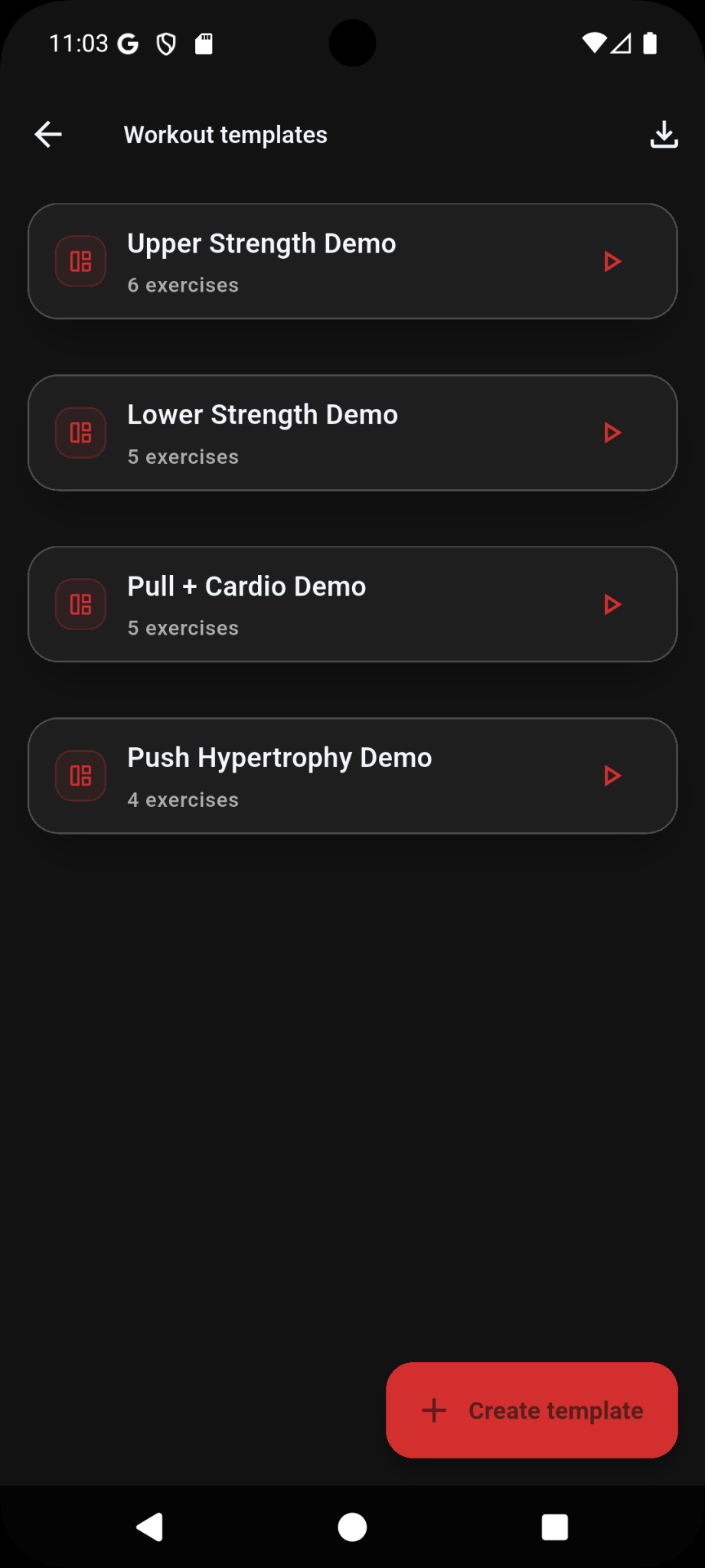
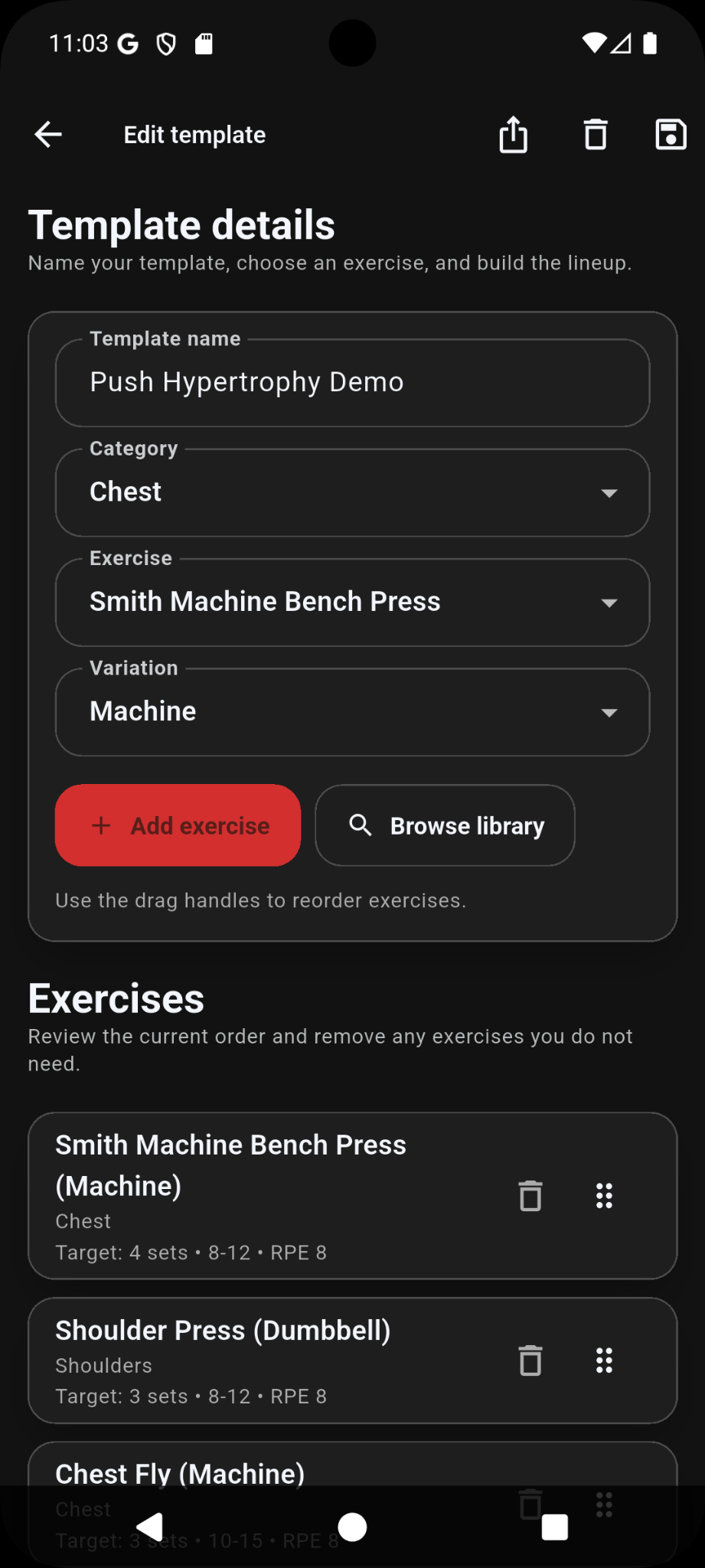
Ironlytics supports quick workouts, structured workouts, templates, exercise history, rest timers, supersets, cardio fields, and machine/base-weight exercises.
- Tap a logged set to edit it.
- Press and hold a logged set to reorder sets within an exercise.
- Tap an exercise name to view exercise history when history is available.
- Press and hold free space on an exercise card to reorder exercises.
- Use machine/base weight for exercises with a built-in carriage or starting load.
- If a base-weight exercise uses only the machine's base load, leave added weight blank or enter 0.
- Create templates for workouts you repeat often.
Exercise guidance
Some exercises include guidance such as demonstrations or written notes where available. The optional Exercise Guidance Pack provides a one-time unlock for 200+ premium guidance entries.
- Open supported exercise guidance from available workout and exercise screens.
- On Android, purchase through Google Play and use the restore option if access is missing after reinstalling or changing device.
- On iPhone, purchase through the App Store and use Restore Purchases while signed in to the Apple Account used for the purchase.
- Exercise guidance is general fitness information only. Train within your ability and seek professional advice where needed.
Nutrition logging
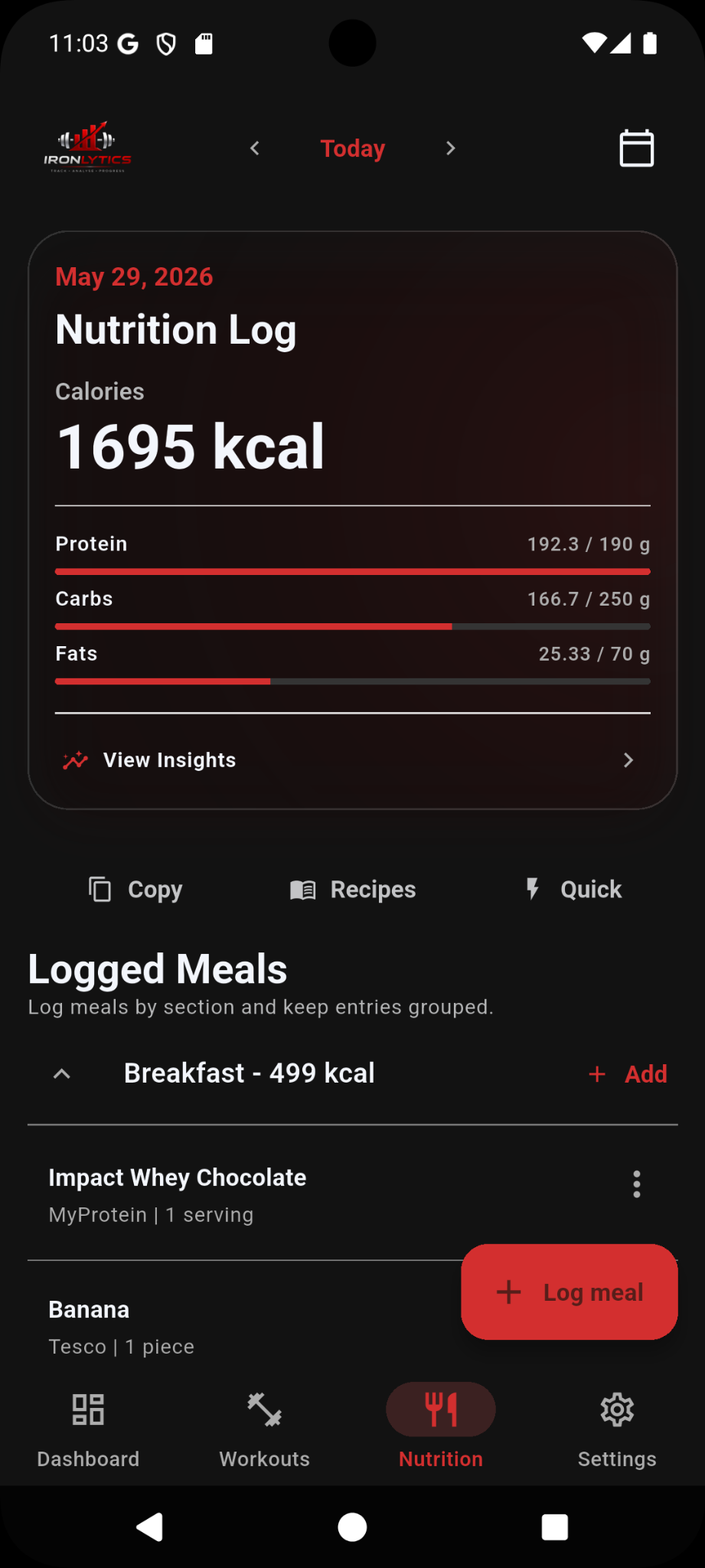
Log meals by section, save foods, use recent foods, scan barcodes, create recipes, and review daily or weekly nutrition insights.
- Use Recent, Saved, and Recipes tabs when adding food to a meal.
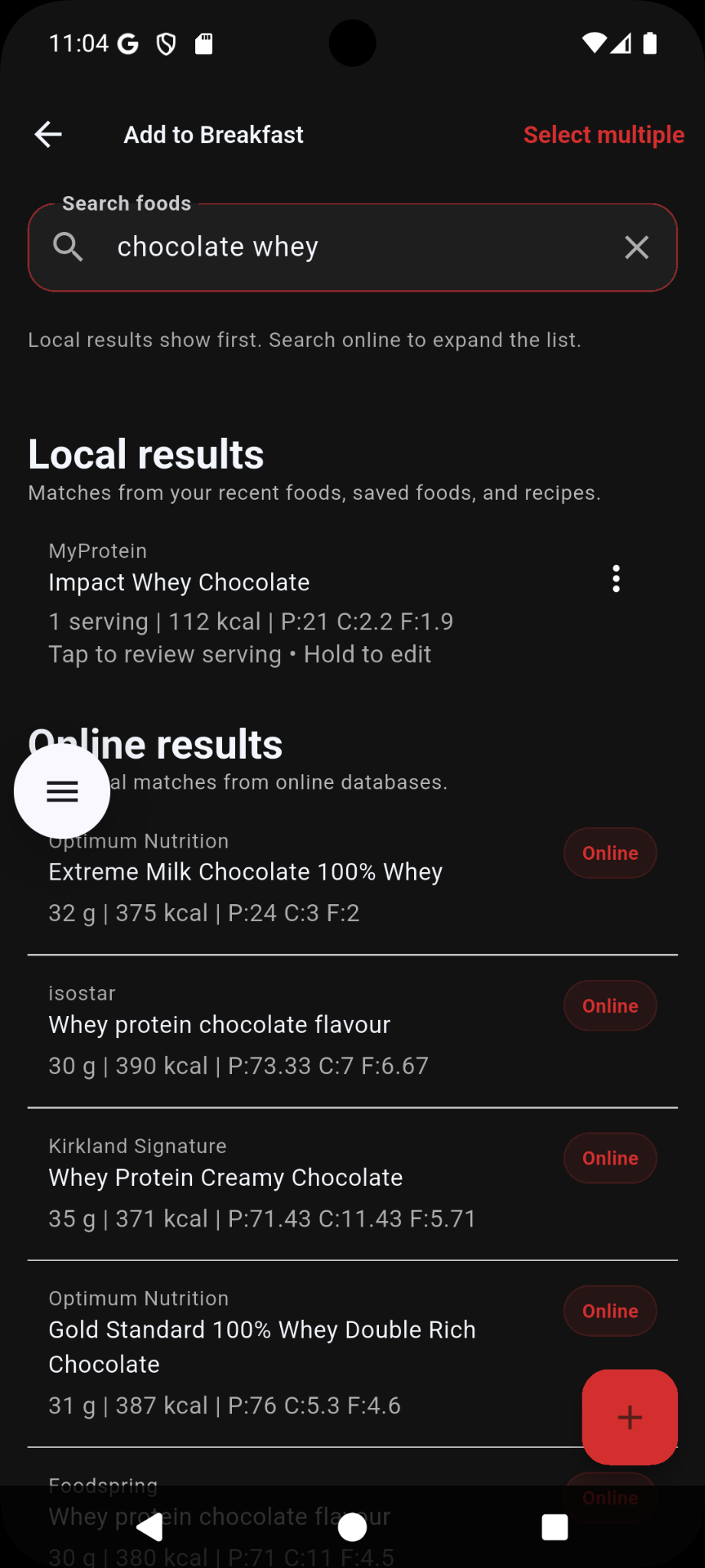
- Search saved foods first, then use online search when you need more results.
- The barcode scanner requests camera access only when you use it. If access was denied, enable the Ironlytics camera permission in Android or iOS settings, or enter the food manually.
- Common foods may appear for searches like eggs, banana, rice, chicken, oats, milk, potato, apple, bread, pasta, salmon, or tuna.
- Common foods are generic nutrition estimates for quick logging.
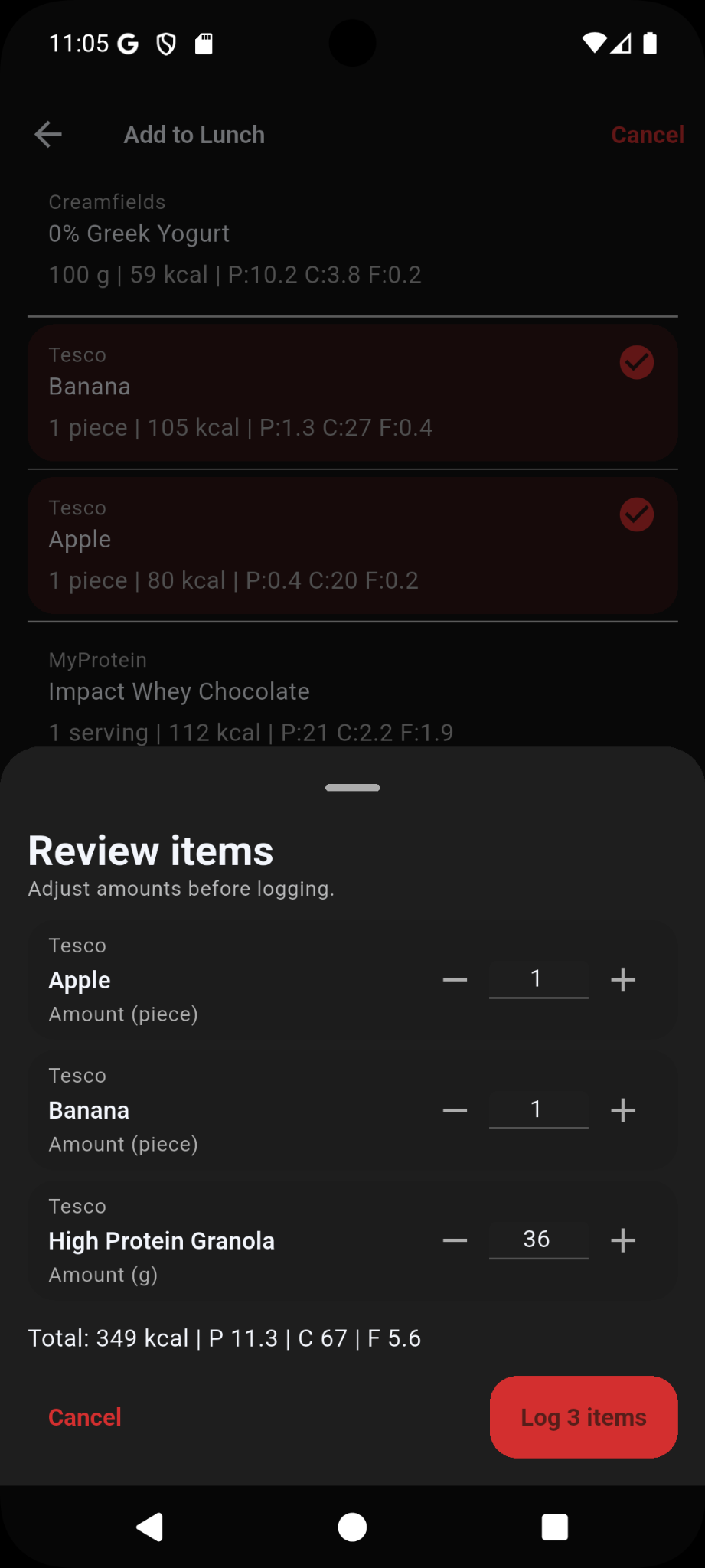
- When selecting multiple foods, review and adjust the amounts before logging them.
- Use quick macros when you only need to log calories or macro totals quickly.
Recipes
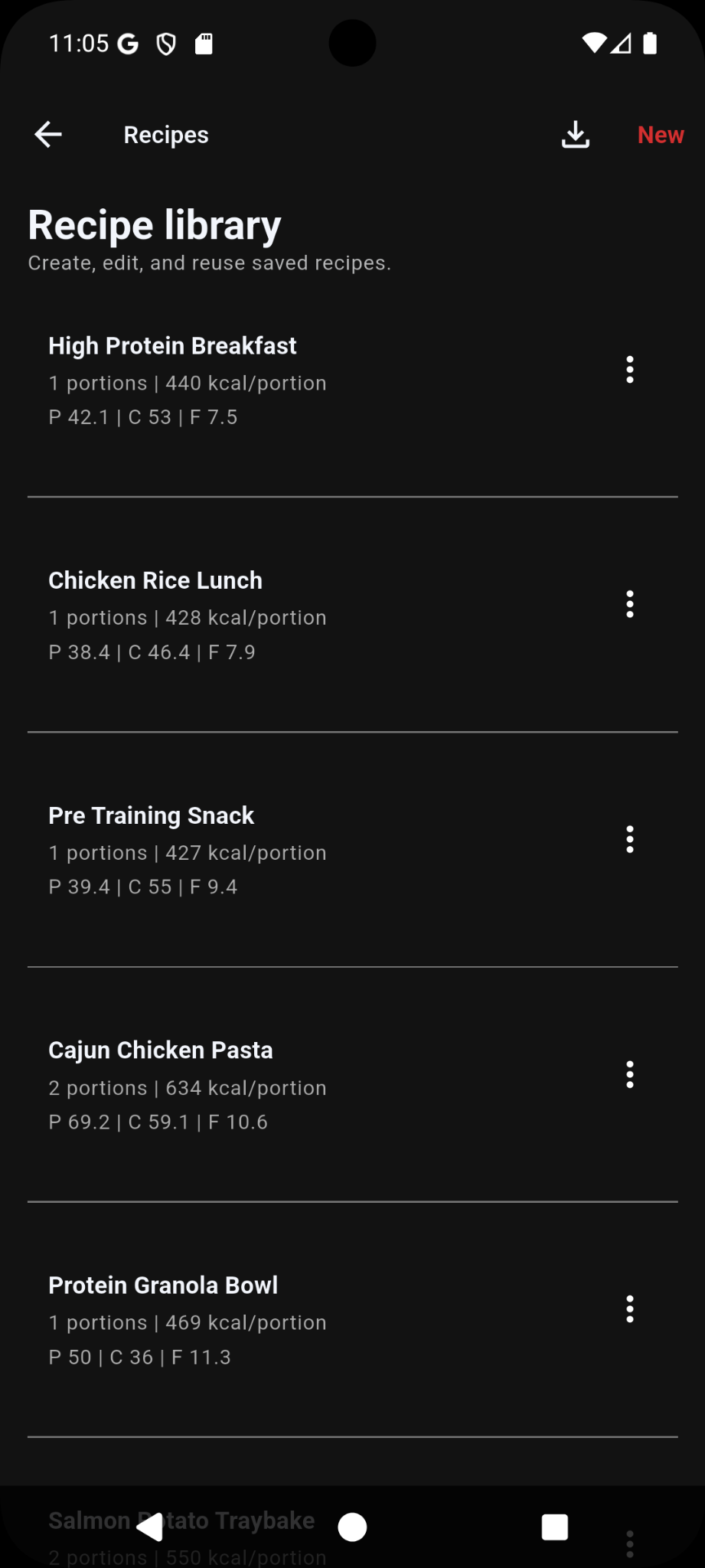
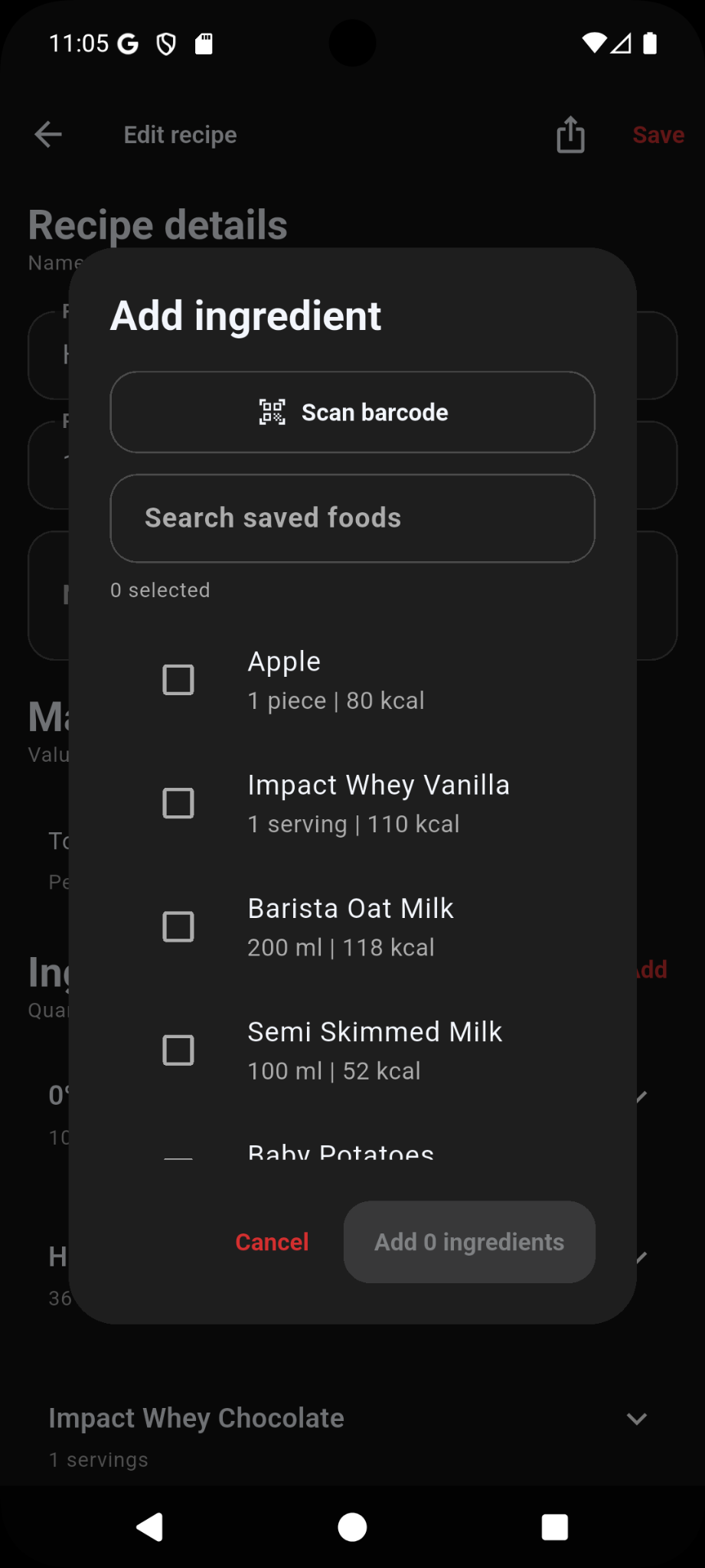
Recipes let you combine foods into reusable meals and calculate nutrition per portion.
- Create recipes for meals you repeat, such as wraps, pasta, rice bowls, or meal prep.
- Add ingredients from saved foods or scan a barcode directly from the recipe ingredient flow.
- Adjust recipe portions so logged servings calculate correctly.
- Share recipes with other Ironlytics users using the recipe share file.
Backups and restore
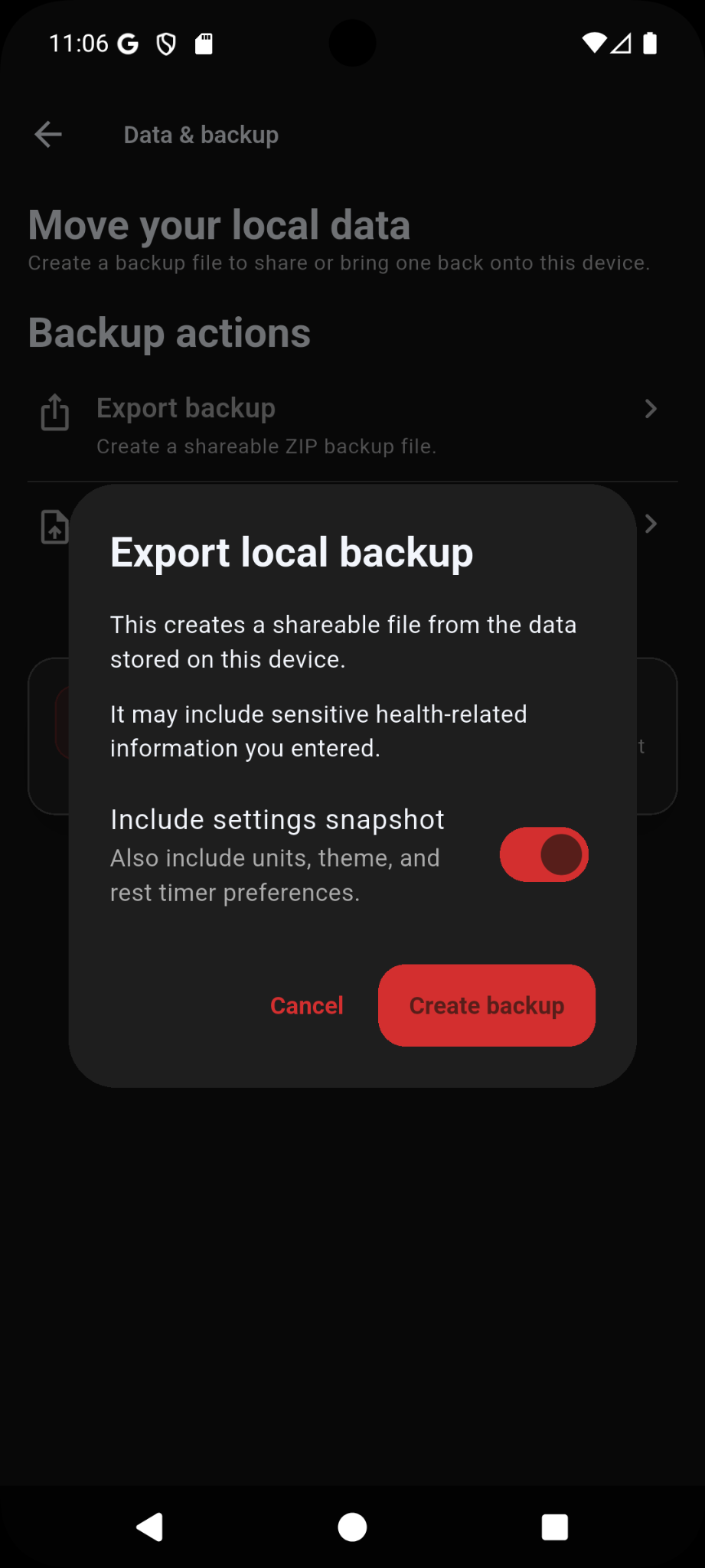
Backups help protect your local data and move it between devices.
- Create a backup before changing phone, clearing app data, or testing large imports.
- Store backup files in a secure location that you control and protect them from unauthorised access.
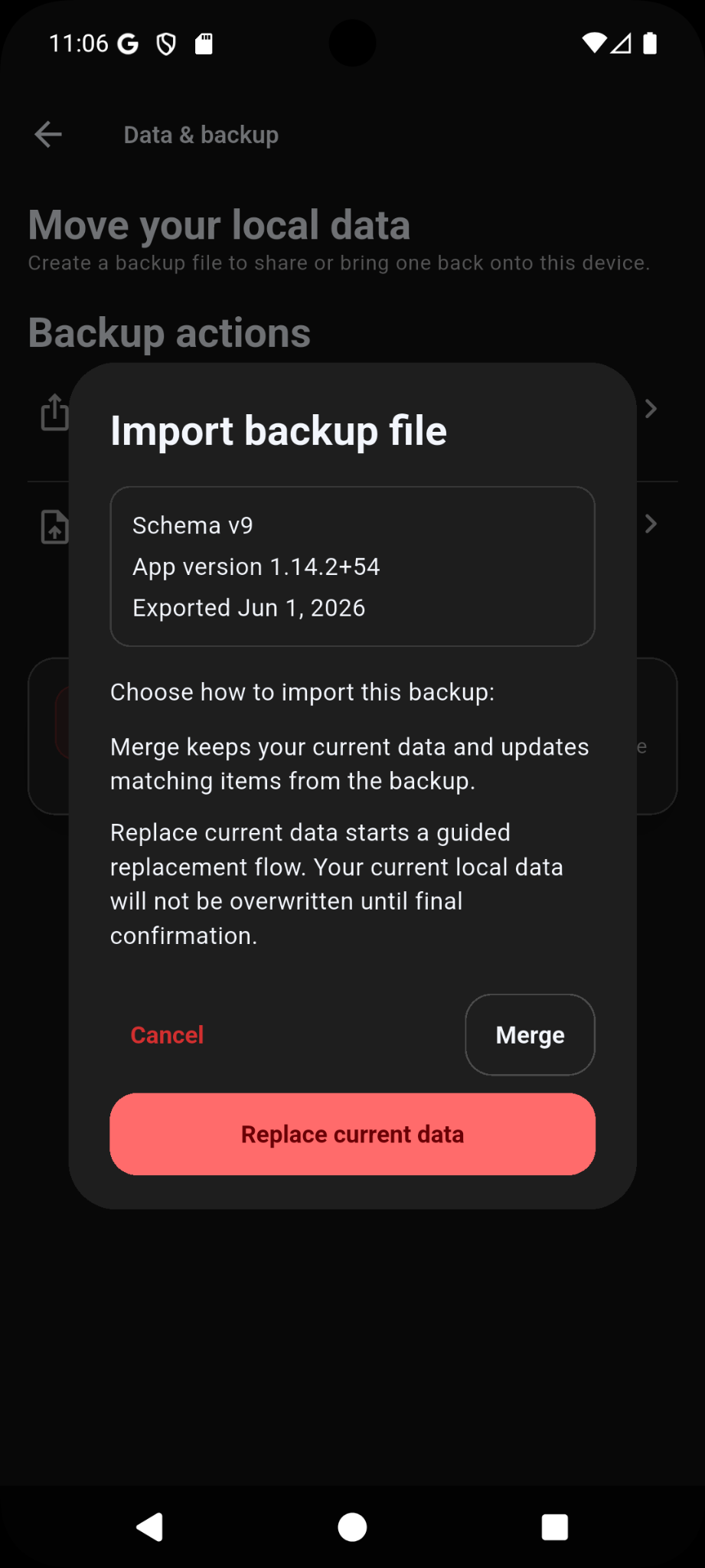
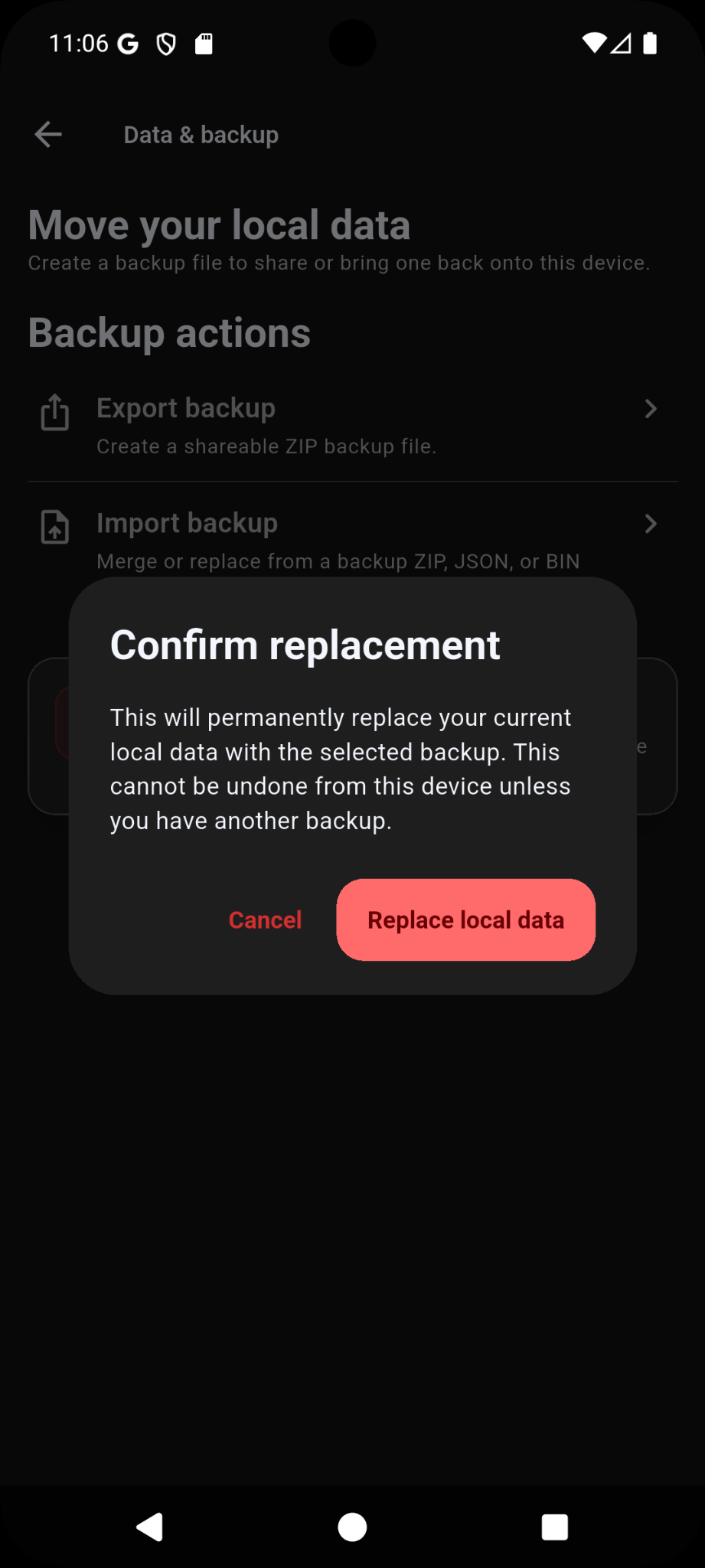
- Use Merge when you want to add backup data to existing data.
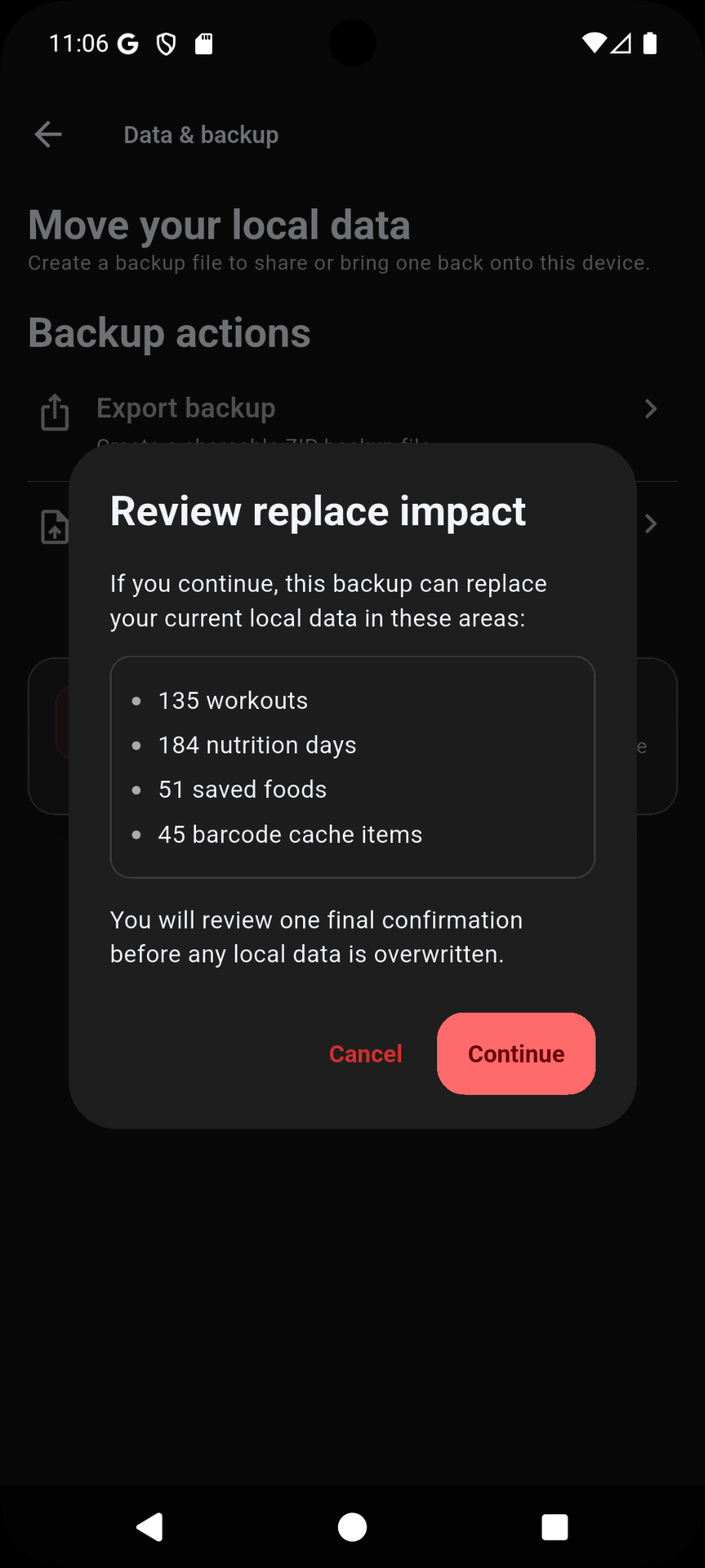
- Use Replace only when you want the backup to replace the current app data.
- On iPhone, choose Create backup and select a Files or sharing destination. To import, open a trusted Ironlytics backup from Files or another app and choose Merge or Replace after reviewing the prompt.
- Backups can include sensitive local workout, nutrition, bodyweight, step and imported health information, so protect the exported file.
Customisation
Ironlytics includes dashboard, theme, colour, unit, and strength snapshot customisation.
- Change dashboard tiles from Settings or by pressing and holding tiles on the Dashboard.
- Choose the exercises shown in the Strength Snapshot.
- Change units such as kg/lb from Settings.
- Adjust nutrition targets and display preferences from Settings.
- Use theme and accent colour settings to personalise the app appearance.
Troubleshooting
- If barcode or online food search does not find an item, try a more specific brand or product name, or create the food manually.
- For missing Health Connect data on Android, check permissions and confirm the data exists in Health Connect.
- For missing Apple Health data on iPhone, review access in iOS or the Health app and confirm the data exists in Apple Health.
- If an import does not appear, reopen the app and check the relevant food, recipe, exercise, template, or backup area.
- If a rest timer notification is delayed, check Android battery optimisation settings for Ironlytics.
- When reporting issues, include your device model, Android or iOS version, Ironlytics version and build number, what you were doing, and screenshots if useful.
Need more help? Visit Support or email [email protected].